Downloads
Download Clout Browser for macOS, Windows or Linux, or cloutctl, and sign in with your Clout account.
On this page
Open Downloads in the portal. It shows the latest Clout Browser release with one card per platform. The Download button at the top of every page offers the installer for the computer you are on.
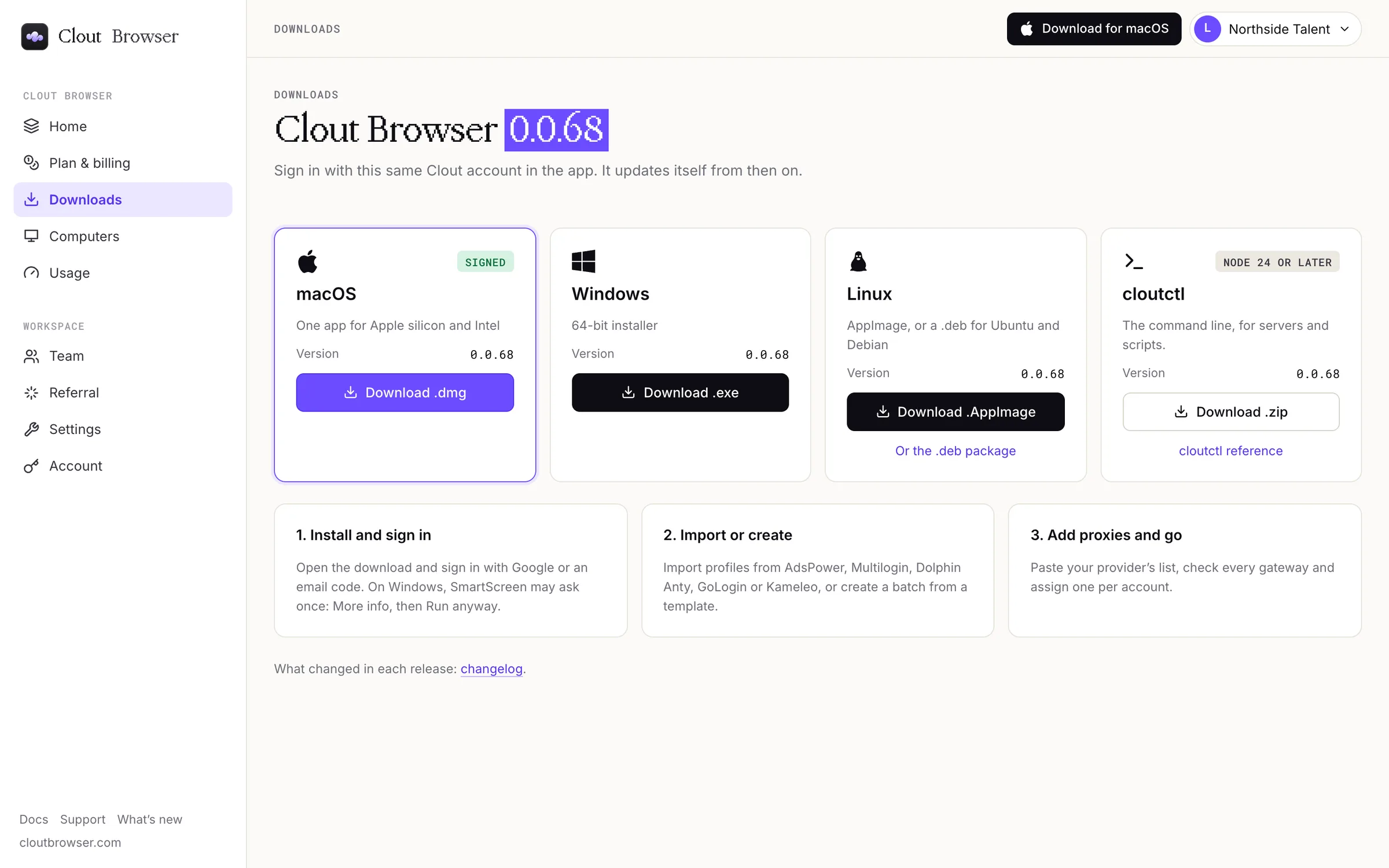
Choose an installer
| Card | What you get |
|---|---|
| macOS | One signed app for Apple silicon and Intel: Download .dmg. |
| Windows | The 64-bit installer: Download .exe. |
| Linux | An AppImage (Download .AppImage), or Or the .deb package for Ubuntu and Debian. |
| cloutctl | The command line, for servers and scripts: Download .zip. It needs Node 24 or later; cloutctl reference has the setup. |
Each card shows the version it downloads. Use the version on your platform's card rather than assuming every installer is the same release.
After you download
- Install and sign in. Open the download and sign in with Google or an email code. On Windows, SmartScreen may ask once: select More info, then Run anyway.
- Import or create. Import profiles from AdsPower, Multilogin, Dolphin Anty, GoLogin or Kameleo, or create a batch from a template.
- Add proxies and go. Paste your provider's list, check every gateway and assign one per account.
The app updates itself after that. changelog under the cards lists what changed in each release.
A computer appears under Computers when the app signs in. You do not add or pair it from the portal.
For setup, continue in the Clout Browser guide.