Subscriptions and usage
Read your plan, its limits and renewal date, and check what your computers used.
On this page
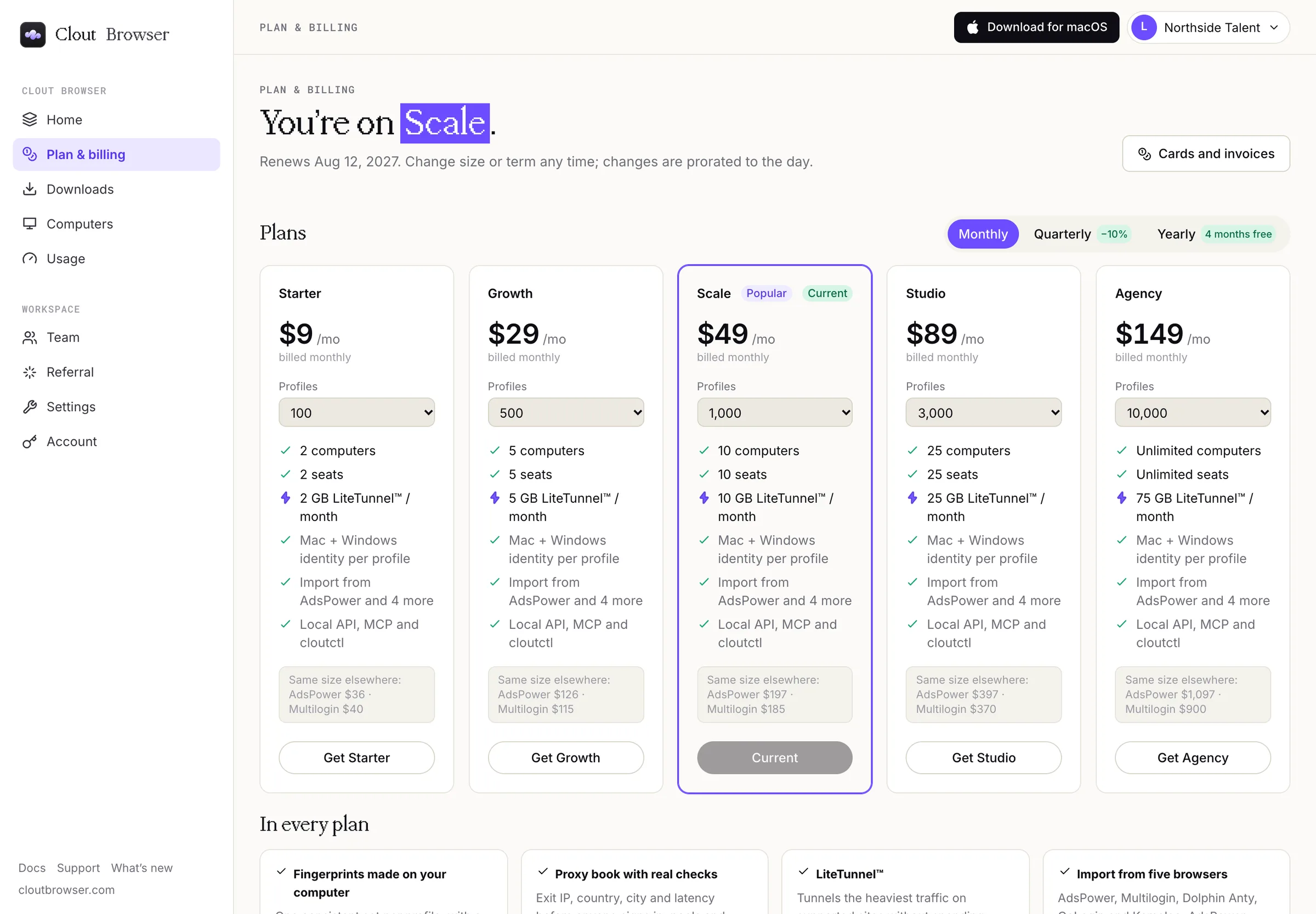
Home and Plan & billing both show your plan. Home names it under Your plan with its limits, its renewal date and the card that pays for it. Plan & billing opens with You’re on and the plan's name, the renewal date, and the plan cards with yours marked Current.
Read the meters
Home shows four meters against your plan's limits:
| Meter | What it counts |
|---|---|
| Profiles | Browser profiles in the workspace, against the plan's profile count. |
| Computers | Computers running Clout Browser, against the plan's computer limit. |
| Team seats | People on the team, against the plan's seats. |
| LiteTunnel™ this period | LiteTunnel™ data used this month, against the month's allowance plus any packs. |
A plan with no limit for computers or seats shows them as unlimited; that is not zero.
Open Team to check seats and pending invitations, and Computers to manage the machines that count against the plan.
Check traffic
Open Usage for the last 30 days across every computer on the account: All traffic, the part Carried by LiteTunnel™ (not billed by your proxy), the part Through your proxies, and the LiteTunnel™ balance. By computer splits the traffic per machine.
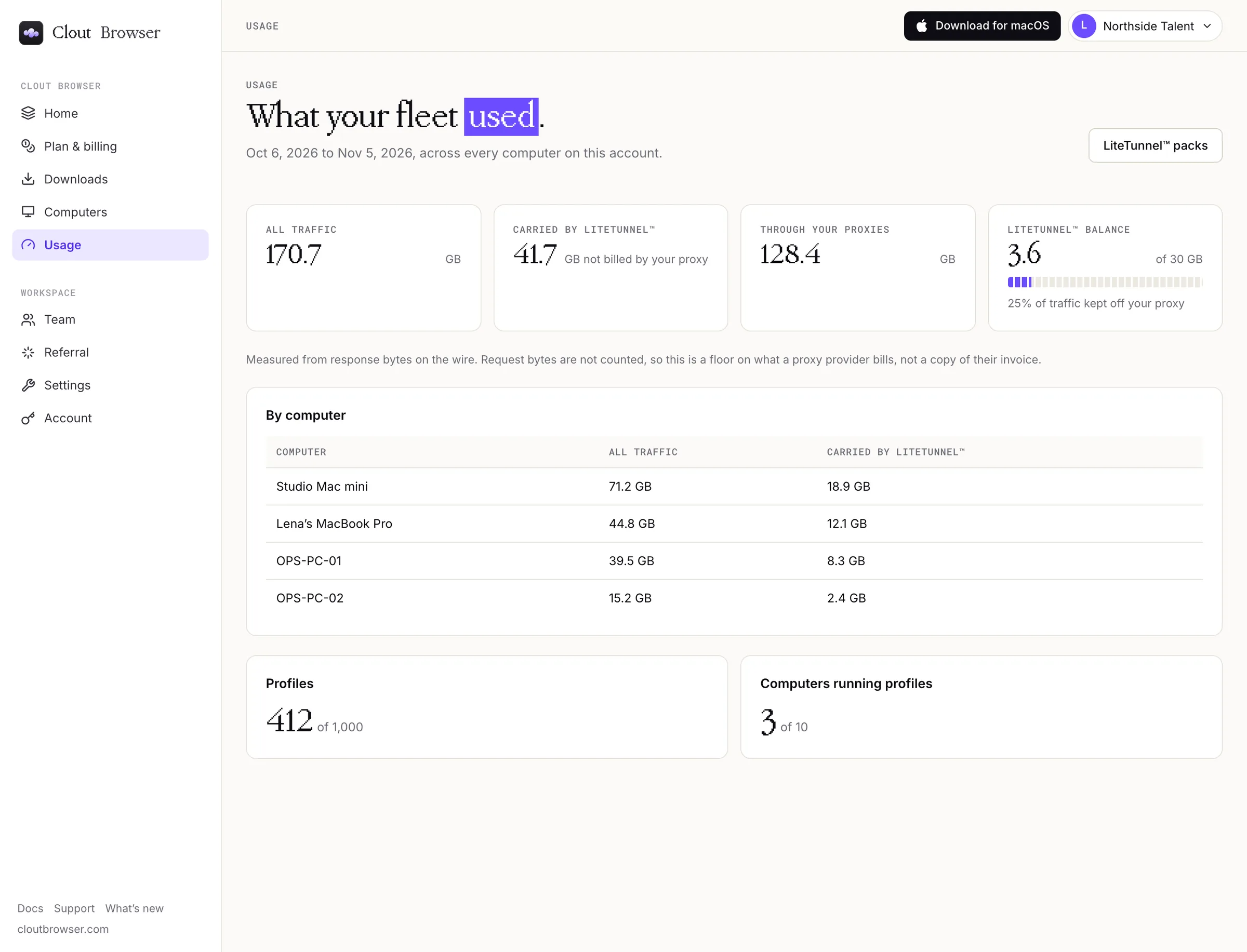
Traffic is measured from response bytes, so it is a floor on what a proxy provider bills, not a copy of their invoice.
For the current plans and limits, use the pricing page. Avoid choosing a plan from an old screenshot or a copied price list.
When access ends
Clout Browser's account service makes a workspace read-only when its subscription no longer permits changes. You can still read stored data; changes are refused until access is restored.
A failed recurring payment also blocks changes. During the seven-day payment grace period, reading stays available. See Failed payments to update the card.
Ending a subscription does not delete your Clout account. You can still sign in and use account controls such as signing out a computer or deleting your account.