Signing in
Sign in with Google or an email code, and create your account.
On this page
Open app.cloutbrowser.com and choose Google or your email. Your first successful sign-in creates your account; you do not need a separate registration step.
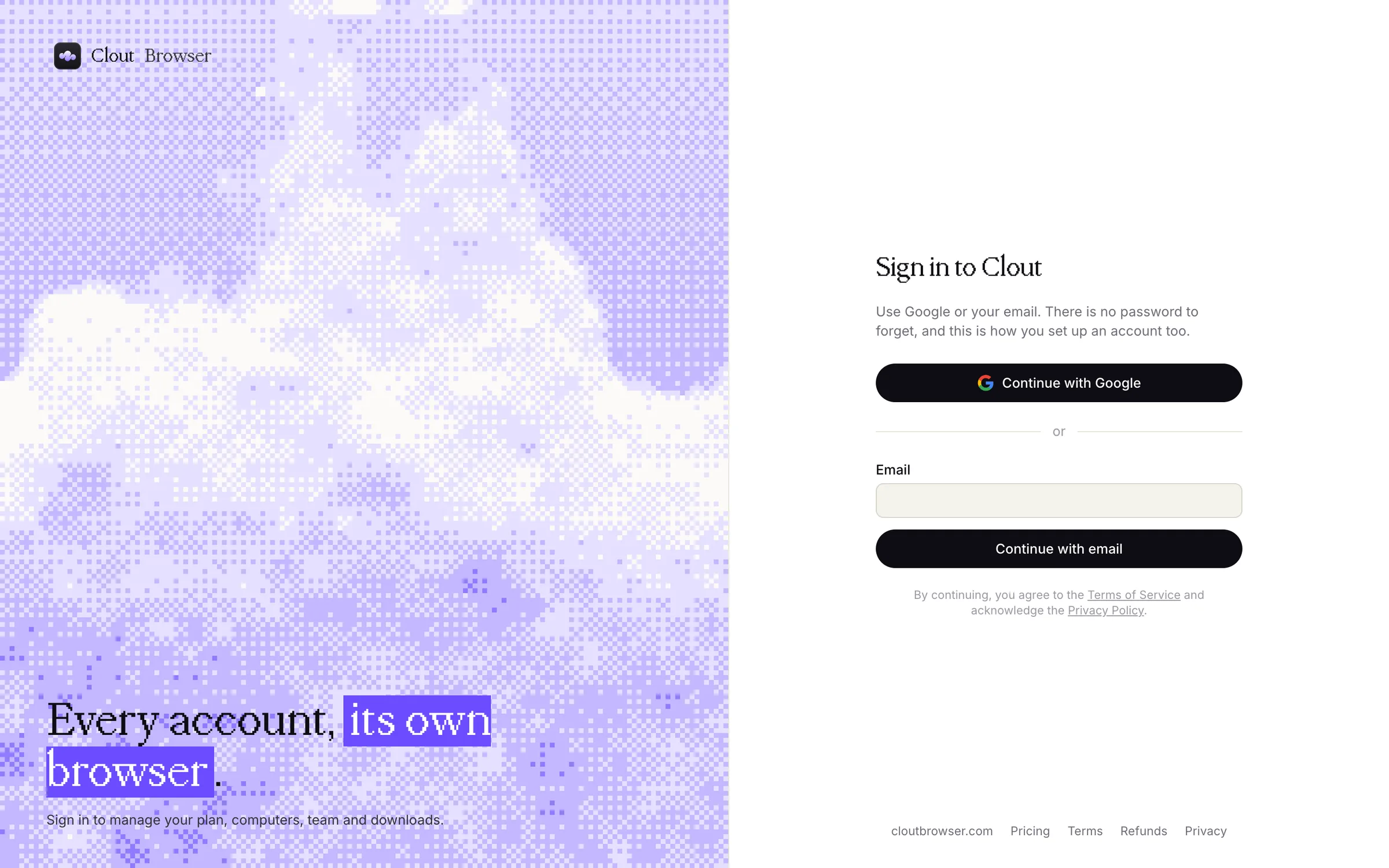
By continuing, you agree to the Terms of Service and acknowledge the Privacy Policy.
Use Google
- Select Continue with Google.
- Choose the Google account you want to use with Clout and finish Google's sign-in.
- Return to the portal, or to the app that started the sign-in.
Use the same Google account each time. If your team invited you by email, choose the Google account with that verified email address.
Use your email
Enter your address and select Continue with email. We send you a code; enter it on the page to finish signing in. There is no password to remember.
The page tells you if a sign-in method is not switched on. Use the other method, or talk to us.
If you have set up an authenticator, the portal asks you to Verify your sign-in after that step. Enter a current authenticator code or an unused backup code.
A new account opens Home.
Return to the same account
Clout identifies your account by your Google identity or your email. It does not merge two accounts just because they share an email address. If sign-in says the address already belongs to an account, use the method named in the message.
Open Settings, then Sign-in methods, to see which methods are linked to the account you are using. If you need help with a duplicate account or a different sign-in method, contact Clout.
Sign in from the app
When Clout Browser opens the portal to sign you in, finish that flow in the browser it opened. The app takes over again once the portal confirms who you are.
If sign-in fails
| Message or situation | What to do |
|---|---|
| The flow took too long or started in another tab | Start again from the sign-in page or the app. |
| Google would not let the account through | Use your email instead, or contact Clout. |
| The email code did not arrive or was refused | Check the address and your spam folder, then ask for a new code. |
| The session expired or was revoked | Sign in again. |
| The account is suspended or closed | Contact Clout using the address you normally sign in with. |
There is no Clout password and no password-reset flow. Keep your Google account and your mailbox secure, because they are how you sign in.